How to Change Banking Details for SASSA SRD Grant (2026)
Published 07 October 2026
How to Change Banking Details for SASSA SRD Grant (2026)
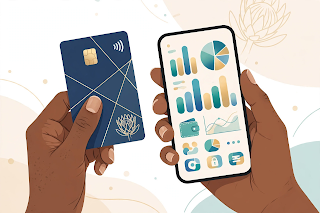
Changed banks? Opened a new account? Lost your old bank card? Then you must update your banking details with SASSA — otherwise your SRD grant (around R370 per month as of 2026) cannot reach you. Payments only go to the bank account SASSA has on record. This guide shows you how to change your details safely in 2026.
Before You Start: What You Need
- Your 13-digit ID number.
- The cellphone number registered with your SRD application (for the OTP security check).
- Your new bank account details: account number, account type (cheque/savings), and the bank name. The account must be in your own name — SASSA does not pay into someone else's account.
- A phone with internet access.
Do it early in the month. Banking changes take time to verify. If you change details just before payment batches run, that month's payment may still go to the old account — or be delayed.
Step-by-Step: Change Banking Details Online
- Go to srd.sassa.gov.za on your phone or computer.
- Scroll to the section for "Change Banking Details" (it may sit under "Update Details" or similar wording — menus change, but the option is always on the official SRD site).
- Enter your ID number.
- SASSA will send an OTP to your registered cellphone number. Enter it.
- Carefully type your new bank account number, choose the account type, and select your bank.
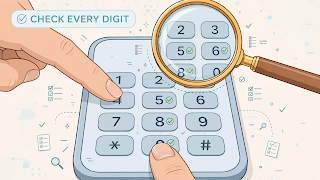
- Double-check every digit. One wrong digit sends your money to a stranger.
- Submit. You should get an SMS confirming the change was received.
What Happens After You Submit
- SASSA verifies the new account with your bank. This is a safety check to confirm the account belongs to you.
- Verification usually takes a few days but can take longer during busy periods.
- Your next payment after successful verification goes to the new account. A payment already processed may still land in the old account.
- Check your status at srd.sassa.gov.za to confirm the change reflects before your next payday.
If You Don't Have a Bank Account
You have options:
- Open a low-cost account. Most major South African banks offer cheap or free entry-level accounts. You only need your ID.
- Cash Send / retail collection. SASSA allows collection at participating retailers (such as Shoprite, Boxer, and Pick n Pay). Choose this option on the SRD site if you prefer cash collection over a bank account.
- Never let a stranger "help" you by using their account. Your grant can only go to an account in your name.
Common Mistakes That Delay Payments
- Typing the account number wrong. Check it twice against your bank statement or banking app — not from memory.
- Using someone else's account. SASSA's verification will fail, and your payment will bounce.
- Changing details during payment week. The change may only take effect the following month.
- An inactive cellphone number. If SASSA cannot reach you by SMS for the OTP, the change cannot be made. Update your cellphone number first.
- Falling for "agents." Nobody can speed up your banking change for a fee. Anyone offering this is a scammer.
Scam Warning: Protect Your Grant
Changing banking details is one of the most abused processes by criminals. Remember:
- SASSA never calls or WhatsApps you to "confirm" banking details.
- SASSA never asks for your bank PIN, card CVV, or online banking password.
- Only ever enter banking details on srd.sassa.gov.za — check the address bar.
- If someone changed your banking details without your knowledge, contact SASSA immediately and go to your nearest SASSA office with your ID.
Frequently Asked Questions
How do I change my SASSA banking details?
Go to srd.sassa.gov.za, find "Change Banking Details," enter your ID number, verify with the OTP sent to your phone, then enter your new account number, account type, and bank. Double-check every digit before submitting.
How long does it take for new banking details to take effect?
Verification usually takes a few days. Your next payment after successful verification goes to the new account. Changes made during payment week may only apply from the following month.
Can SASSA pay my grant into someone else's bank account?
No. The account must be registered in your own name, matching your ID number. Payments to third-party accounts will fail verification.
What if I don't have a bank account?
Open a low-cost account with your ID at any major bank, or choose Cash Send / retail collection (Shoprite, Boxer, Pick n Pay and others) as your payment method on the SRD site.
My payment went to my old account. What now?
If the old account is still open, the money is there — contact your old bank. If it is closed, the payment will bounce back and SASSA will reissue it once your new details verify. Check your status online.
Is it safe to change banking details on my phone?
Yes, if you are on the real site: check the address is srd.sassa.gov.za, never share OTPs or PINs with anyone, and never follow links from random SMS or WhatsApp messages — type the address yourself.
Conclusion
Updating your SASSA banking details takes ten careful minutes: official site, ID number, OTP, new account details, double-check, submit. Do it early in the month, keep your cellphone number active, and never trust anyone who offers to do it for you for a fee. Your grant is your money — guard the path it travels.
Disclaimer: Payment dates and amounts change — always confirm on the official site srd.sassa.gov.za.