How to Update Phone Number & KYC for SASSA SRD (2026)
Published 07 October 2026
How to Update Phone Number and KYC for SASSA SRD (2026)
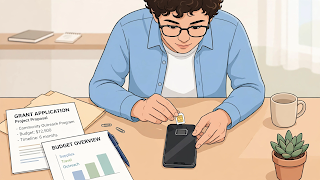
Your phone number is your lifeline to your SASSA SRD grant — verification codes, status updates and payment notifications all go there. If you lost your SIM, changed numbers, or need to complete identity (KYC) verification, this guide shows you exactly what to do, step by step.
Why Your Phone Number Matters So Much
SASSA ties your grant to two things: your ID number and your cellphone number. Every status check, every OTP login, and many payment notifications use that number. If the number on SASSA's system is one you no longer have, you can be locked out of your own grant — so updating it quickly matters.
How to Change Your Phone Number on SASSA SRD
Step 1: Get a number in your name
Before anything else, make sure your new SIM is RICA-registered in your own name. SASSA verifies the number against your ID — a number registered to someone else will fail verification.
Step 2: Go to the official update page
- Open srd.sassa.gov.za on your phone or computer.
- Look for the option to update contact details / change phone number (usually under the SRD section or a "change contact details" link).
- Enter your ID number.
- Enter your new cellphone number.
- You will receive an OTP on the new number — enter it to confirm the number is yours.
Step 3: Wait for verification
Number changes are not instant. SASSA verifies the new number against mobile network records, which can take a few days. During this time, keep checking your status — and keep the old SIM if you still have it, just in case.
If you lost your SIM completely
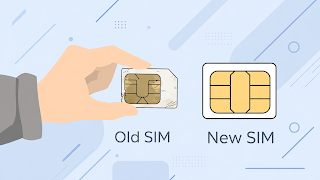
- First, do a SIM swap at your network provider (bring your ID — the replacement SIM must be registered to you).
- Once your old number works again on the new SIM, you can receive SASSA's OTPs normally.
- If you cannot recover the old number, get a new SIM in your name and follow the number-change steps above.
Warning: never "buy" a quick SIM swap from a stranger or street vendor offering to do it without your ID — that is how SIM-swap fraud happens, and criminals use it to steal grants.
What Is eKYC (and Why SASSA Asks for It)?
eKYC (electronic Know Your Customer) is SASSA's electronic identity verification. It confirms that the person claiming the grant is really the ID holder — using Home Affairs records, facial/biometric checks or document verification where required. If your status shows "identity verification failed" or asks you to complete verification, eKYC is what you need to finish.
How to Complete eKYC Verification: Step by Step
- Check what is being asked. Log in to the status check on srd.sassa.gov.za and read the exact message — it will tell you whether the problem is your ID details, your photo/biometric, or your documents.
- Fix your details first. Make sure the name, surname and ID number SASSA has match your ID document exactly, including spelling.
- Follow the verification link or instructions shown on the official site. This may involve confirming personal details, uploading a clear photo of your ID, or completing a liveness/biometric check on your phone.
- Use a phone with a working camera if a photo or video check is required — do it in good light, with your whole face visible, no hat or sunglasses.
- Submit and wait. Verification is not instant; allow several days, then re-check your status.
Common KYC Problems and Fixes
| Problem | Fix |
|---|---|
| Name spelling does not match ID | Correct the spelling on your SASSA profile to match your ID exactly |
| Blurry ID photo rejected | Retake in daylight, ID flat on a dark surface, all corners visible |
| Biometric/liveness check fails | Good lighting, face the camera directly, remove glasses/hat |
| Recently updated ID at Home Affairs | Wait a few days for Home Affairs records to sync, then retry |
| Still failing after retries | Visit a SASSA office in person with your ID document |
Frequently Asked Questions
1. I lost my phone. How do I update my SASSA number without the old SIM?
Do a SIM swap at your network provider with your ID to recover the old number — then you can receive OTPs. If the number cannot be recovered, register a new SIM in your name and use the number-change option on srd.sassa.gov.za.
2. How long does a SASSA number change take?
Verification usually takes a few days. It is not instant — keep checking your status, and do not submit the change multiple times.
3. What does "identity verification failed" mean?
It means your application details did not match Home Affairs records, or an electronic ID check could not confirm you. Fix spelling to match your ID exactly, complete any eKYC steps shown, and retry. Persistent failures usually need an in-person visit.
4. Can I use someone else's phone number for my SASSA grant?
No. The number must be registered in your name. Numbers belonging to other people fail verification and can get your application flagged.
5. Do I need to redo KYC every month?
No — once your identity is verified, you do not redo it monthly. You only repeat verification if SASSA flags a problem or you change key details like your phone number.
6. Someone on WhatsApp offered to "fix" my KYC for a fee. Is it real?
No — it is a scam. SASSA never charges fees for verification, number changes or releasing grants. Only use srd.sassa.gov.za and official SASSA offices.
Conclusion
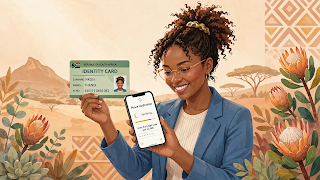
Losing your number or failing verification feels scary, but both are fixable: RICA a new SIM in your name, update the number on srd.sassa.gov.za, and work through the eKYC steps carefully — exact ID spelling, clear photos, good light. Never pay anyone who offers to "fix" it for you.
Disclaimer: Payment dates and amounts change — always confirm on the official site srd.sassa.gov.za.